
Alternative Adobe Creative Cloud 2026: bộ thay thế hoàn chỉnh tiết kiệm triệu đồng
Adobe Creative Cloud All Apps $59.99/tháng (~18 triệu/năm VN). Bài này mapping chi tiết từng app Adobe sang alternative free hoặc lifetime, giúp bạn tiết kiệm mà vẫn deliver chất lượng.
- 1TLDR — thay Adobe Creative Cloud cần những gì›
- 2Bảng mapping Adobe → Alternative›
- 3Photoshop → GIMP, Affinity Photo, Photopea›
- 4Illustrator → Inkscape, Affinity Designer›
- 5Premiere + After Effects → DaVinci Resolve›
- 6Lightroom → darktable, RawTherapee, Capture One›
- 7InDesign → Scribus, Affinity Publisher›
- 8Combo deal khuyến nghị theo persona›
- 9Workflow chuyển từ Adobe sang alternative›
- 10Câu hỏi thường gặp›
- 11Nguồn tham khảo›
TLDR — thay Adobe Creative Cloud cần những gì
Miễn phí 100%: GIMP (Photoshop) + Inkscape (Illustrator) + DaVinci Resolve (Premiere/After Effects) + darktable (Lightroom) + Scribus (InDesign). Tiết kiệm $720/năm (~18 triệu VND). Lifetime pay-once (~$200 một lần thay $720/năm): Affinity V2 Universal License ($164.99) covers Photo+Designer+Publisher. Plus DaVinci Resolve Studio $295 một lần. Tiết kiệm từ năm 2 trở đi.
Adobe Creative Cloud All Apps 2026 là $59.99/tháng ($719.88/năm). Với tỷ giá hiện tại ~18 triệu VND/năm cho đầy đủ app. Nhiều freelancer/SME không dùng hết 20+ app Adobe — chỉ 3-5 app cốt lõi. Mapping dưới đây giúp bạn chọn alternative phù hợp.
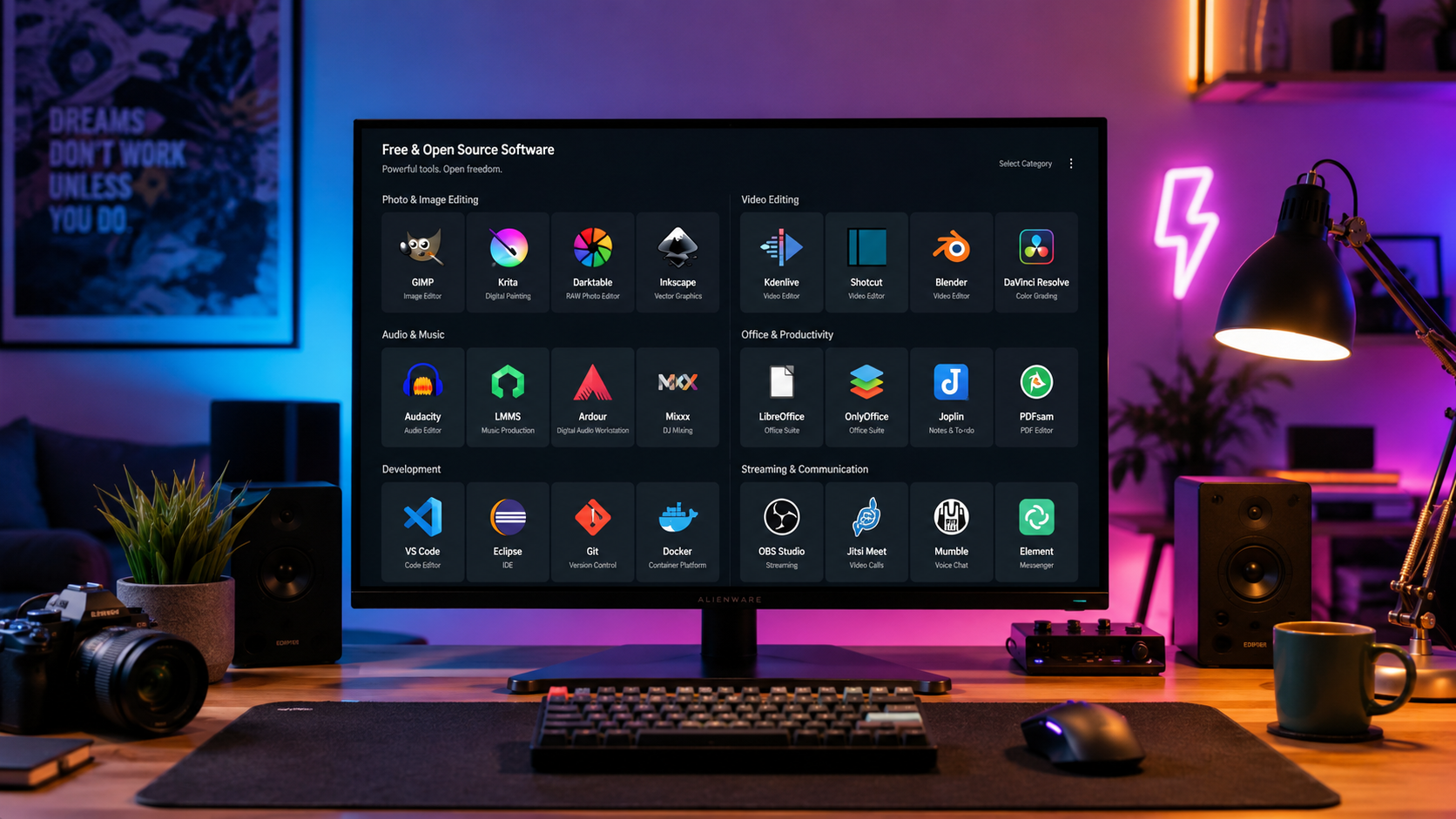
Bảng mapping Adobe → Alternative
| App Adobe | Alternative free | Alternative paid (lifetime) |
|---|---|---|
| Photoshop | GIMP 3.0, Photopea (web) | Affinity Photo 2 ($69.99) |
| Illustrator | Inkscape | Affinity Designer 2 ($69.99) |
| Premiere Pro | DaVinci Resolve (free) | DaVinci Resolve Studio ($295) |
| After Effects | DaVinci Resolve Fusion (free) | DaVinci Resolve Studio ($295) |
| Lightroom | darktable, RawTherapee | Capture One Pro ($199/năm hoặc lifetime) |
| InDesign | Scribus | Affinity Publisher 2 ($69.99) |
| XD (discontinued 2023) | Figma (free tier) | Figma Professional ($15/user/tháng) |
| Acrobat Pro | PDF24, Sejda | PDF Element ($79.95/năm) |
| Audition | Audacity, Reaper | Reaper ($60 personal) |
| Fonts | Google Fonts | Monotype Fonts ($19.99/tháng) |
Affinity V2 Universal License $164.99 (lifetime) bao cả 3 app Photo + Designer + Publisher cho cả Mac/Windows/iPad — tiết kiệm so với mua lẻ $69.99 × 3 = $210. Nếu chỉ cần design, đây là deal tốt nhất 2026.
Photoshop → GIMP, Affinity Photo, Photopea
GIMP 3.0 (free) — đủ dùng 80% case photo edit, thumbnail, banner. Xem bài so sánh chi tiết trong /phan-mem/huong-dan/gimp-vs-photoshop-mien-phi.
Affinity Photo 2 ($69.99 lifetime) — UI gần Photoshop, brush engine tốt, tương thích PSD gần hoàn hảo. Nếu không ngại trả $70, đây là lựa chọn tốt nhất để thay PS full-time.
Photopea (web, free có ads) — chạy trong browser, không cần cài. PSD support gần hoàn hảo. Dùng khi mở file PSD nhanh trên máy không có software cài đặt.
Use case nào cần Photoshop chính chủ: workflow client Adobe, AI Generative Fill (Firefly), print professional strict, retouching chuyên nghiệp (skin tone, frequency separation).
Illustrator → Inkscape, Affinity Designer
Inkscape (free, open-source) — vector editor mạnh, hỗ trợ SVG chuẩn W3C tốt nhất. Tính năng ~70% Illustrator: pen tool, node edit, gradient, clipart. UI cũ nhưng functional.
Affinity Designer 2 ($69.99 lifetime) — UI hiện đại, tính năng ~95% Illustrator, có Pixel Persona (vector + raster cùng file). File .afdesign format riêng, export AI không hoàn hảo.
Figma (free cá nhân) — không thay thế Illustrator cho print/vector illustration, nhưng thay thế cho UI design, logo đơn giản, icon set. 2026 nhiều designer UI/UX bỏ Illustrator sang Figma hoàn toàn.
Use case nào cần Illustrator chính chủ: in ấn chuyên nghiệp với CMYK + Pantone, vẽ illustration phức tạp nhiều layer effect, workflow agency với file .ai.
Premiere + After Effects → DaVinci Resolve
DaVinci Resolve (free) là alternative mạnh nhất cho Premiere Pro và After Effects cùng lúc. Free tier từ Blackmagic Design gồm: - Edit page (thay Premiere): timeline, transition, title - Fusion page (thay After Effects): motion graphic, compositing node-based - Color page: color grading chuyên nghiệp (vốn là strength của DaVinci, Hollywood dùng) - Fairlight page: audio multitrack mixing - Deliver page: export 4K/8K codec nhiều
Studio version ($295 lifetime, không subscription) thêm: - AI tool: face recognition, speed warp, super scale, magic mask - Collaboration nhiều editor cùng project - H.265 hardware encoding - Noise reduction advanced - Resolve Stereoscopic 3D
Khác biệt với Premiere: - DaVinci mạnh color grading hơn, cả studio Hollywood dùng - Premiere dễ học hơn, community/tutorial nhiều hơn - DaVinci yêu cầu máy mạnh hơn (GPU > 4GB VRAM khuyến nghị) - DaVinci Studio lifetime $295, Premiere $20.99/tháng — sau 15 tháng là hòa vốn Use case: creator YouTube, studio sản xuất video cá nhân/SME đều dùng DaVinci được. Premiere chỉ cần khi team Adobe workflow integrated.
Lightroom → darktable, RawTherapee, Capture One
darktable (free, open-source) — alternative gần nhất cho Lightroom. UI lightroom-like (library + darkroom module), hỗ trợ RAW từ 400+ máy ảnh. Non-destructive editing. Weakness: tốc độ chậm hơn Lightroom trên library > 10k ảnh.
RawTherapee (free) — engine RAW phát triển lâu năm, chất lượng demosaicing top-tier. UI cũ, workflow không organized bằng darktable. Tốt cho single-image retouching, không tốt cho library management.
Capture One Pro ($199/năm hoặc lifetime khi có offer) — được studio ảnh cưới/thời trang cao cấp dùng. Tether shooting tốt nhất. Subscription đắt tương đương Lightroom nhưng chất lượng màu được đánh giá cao hơn.
Luminar Neo ($79/năm hoặc $299 lifetime) — AI-focused. Auto enhance, sky replacement, portrait tool với AI mạnh. Không mạnh về library/catalog bằng Lightroom nhưng nhanh-tay.
Use case: photographer amateur/hobby → darktable đủ. Pro ảnh cưới → Capture One hoặc Lightroom (workflow Adobe). Content creator tốc độ → Luminar Neo AI-focused.
InDesign → Scribus, Affinity Publisher
Scribus (free, open-source) — DTP software cho tạo brochure, poster, magazine, ebook. Hỗ trợ màu CMYK + Pantone, preflight (kiểm tra file trước in), export PDF/X chuẩn in. UI cũ, đường cong học steep, nhưng functional.
Affinity Publisher 2 ($69.99 lifetime, hoặc trong Universal License $164.99) — UI hiện đại, tích hợp StudioLink với Affinity Photo/Designer (edit ảnh/vector trực tiếp trong Publisher). Xuất file IDML import từ InDesign được.
Use case: tạo catalog, flyer, menu nhà hàng, booklet nội bộ — Affinity Publisher hoặc Scribus đủ. Magazine/sách chuyên nghiệp với workflow agency — InDesign bắt buộc.
Combo deal khuyến nghị theo persona
Content creator YouTube/blog ($0/năm): - Photo: GIMP (thumbnail) - Video: DaVinci Resolve free (edit) - Graphic: Canva Pro $12.99/tháng (đã đủ, không cần Illustrator) - Audio: Audacity free - Tổng: $156/năm vs Adobe CC $720/năm. Tiết kiệm $564/năm.
Freelance designer giá trung ($164.99 one-time + subscription optional): - Affinity V2 Universal License (Photo+Designer+Publisher) $164.99 lifetime - DaVinci Resolve free hoặc Studio $295 nếu edit video nhiều - Figma free/$15/tháng cho UI design - Tổng năm 1: $164.99-$460, năm 2+: $0-$180. Adobe CC năm 1-2-3: $720-$1440-$2160. Tiết kiệm cực lớn từ năm 2.
Studio agency pro: bắt buộc Adobe CC vì workflow client, team integration, AI Firefly. $720/năm/seat là chi phí kinh doanh chấp nhận được.
Nhiếp ảnh gia ảnh cưới: Adobe Photography Plan $9.99/tháng (Lightroom + Photoshop + 20GB cloud) — rẻ hơn full CC rất nhiều. Alternative: Capture One $199/năm + Affinity Photo $69.99 lifetime.
Sinh viên thiết kế: Adobe CC Student $19.99/tháng (50% off) trong 4 năm. Hoặc hoàn toàn free: GIMP + Inkscape + DaVinci Resolve + Scribus. Affinity thường có promo 50% off Black Friday $34.99.
Workflow chuyển từ Adobe sang alternative
Bước 1 — Liệt kê app Adobe thực sự dùng mỗi tuần: nhiều người chỉ dùng 3-5 app (Photoshop, Lightroom, Premiere). Không cần thay hết 20 app cùng lúc.
Bước 2 — Cài alternative tương ứng cùng máy với Adobe. Test 2-3 tuần bên song song trước khi cancel Adobe.
Bước 3 — Export project Adobe sang format chuẩn trước khi huỷ sub: PSD, AI, XD → export sang PDF, SVG, PNG copy. File Premiere/After Effects render ra master video + save project .prproj/.aep để dùng lại nếu cần.
Bước 4 — Migrate preset/brush/LUT: GIMP có thể import brush .abr (Photoshop). DaVinci import LUT .cube dễ. Lightroom preset .xmp import darktable được qua script.
Bước 5 — Cancel Adobe subscription: Account → Plans → Cancel Plan. Adobe ra prompt giữ chân (offer 2 tháng free). Nếu quyết tâm thì chọn Continue to cancel. Lưu invoice tax nếu cần.
Bước 6 — Cài dotfile/preset của alternative — setup một lần, lưu GitHub backup. Đừng mất công tùy chỉnh lại khi cài lại máy.