

Notepad++ là text editor nhẹ nhất cho Windows 2026 — khởi động 0.5s, RAM ~30MB, đủ cho edit file text nhanh + log analysis. Không phải thay VS Code mà là tool complementary. Bài này cover setup, plugin must-have, regex workflow, và khi nào dùng Notepad++ vs VS Code.
- 1Notepad++ 2026 — text editor nhẹ nhất Windows cho quick edit›
- 2Khi nào Notepad++ vượt VS Code / Sublime›
- 3So sánh text editor cho Windows 2026›
- 4Cài đặt + 8 plugin must-have cho Notepad++›
- 55 workflow regex + macro cho Windows admin IT›
- 6Alternative nếu Notepad++ không phù hợp›
- 7Câu hỏi thường gặp›
- 8Nguồn tham khảo›
Notepad++ 2026 — text editor nhẹ nhất Windows cho quick edit
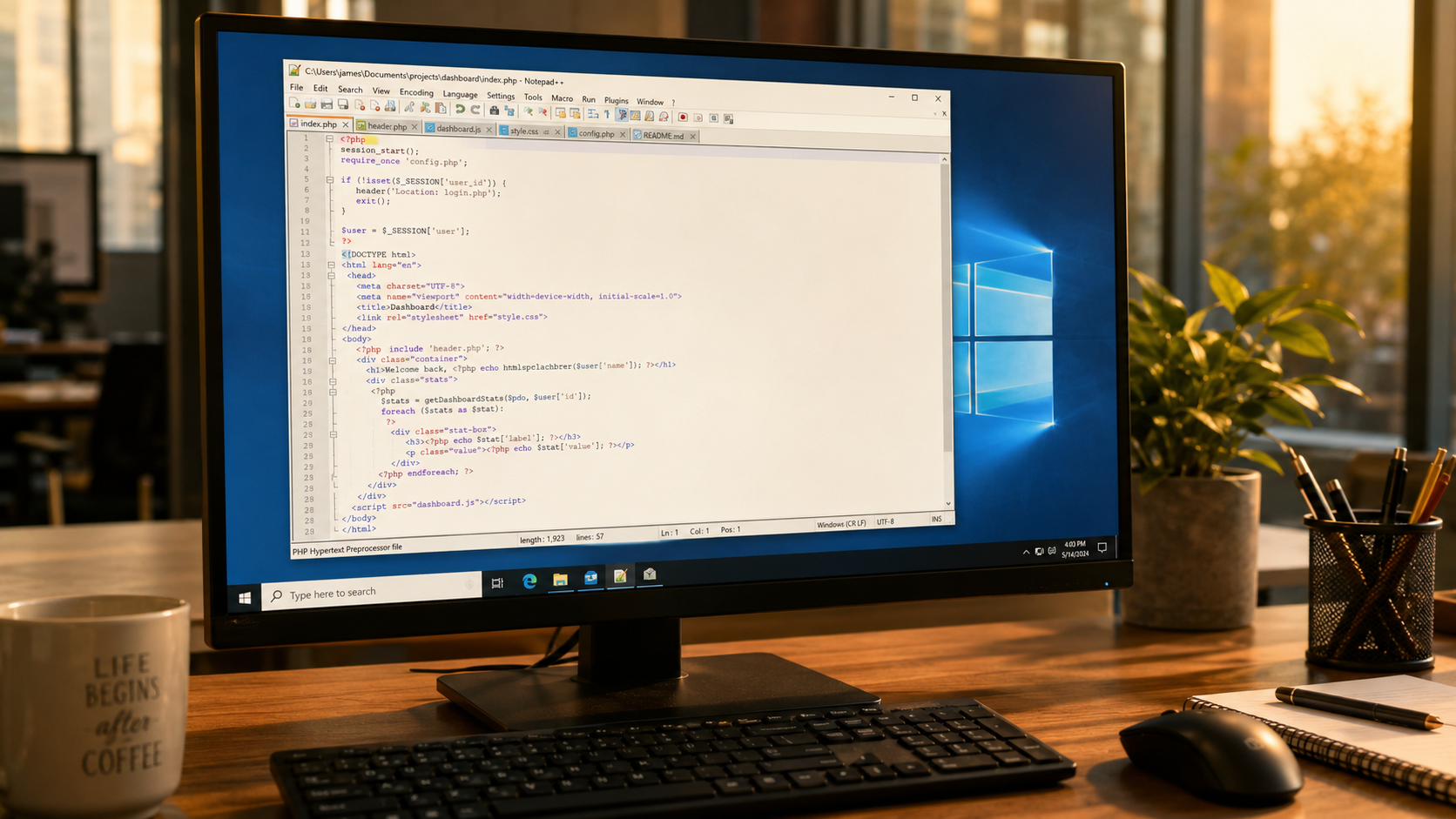
Notepad++ là editor text siêu nhẹ cho Windows — khởi động 0.5s, RAM ~30MB, chỉ 4MB installer. Syntax highlight 80+ ngôn ngữ, regex tìm-thay, compare 2 file side-by-side, macro recorder. Khác VS Code ở chỗ: không phải IDE, không AI, không debug — chỉ là text editor trong sáng. Dùng cho: edit config file (.ini, .conf, .env), log analysis, quick script SQL/shell, text transformation (find-replace hàng loạt), xem file text lớn (>100MB) mà VS Code lag. 2026 vẫn relevant dù có VS Code — complement, không thay thế.
Tác giả Don Ho (Pháp) maintain Notepad++ từ 2003 — 22+ năm. Hoàn toàn miễn phí, open-source GPL. Chỉ Windows (không Mac/Linux — alternative: Sublime Text, TextMate, gedit).
Bài này dành cho: Windows user cần text editor nhanh, admin IT edit config server, dev Windows (không dùng Mac/Linux), power user edit log/CSV lớn.
Khi nào Notepad++ vượt VS Code / Sublime
VS Code tốt cho IDE use case. Nhưng Notepad++ thắng ở 4 tình huống:
- 1 Mở file text lớn > 100MB: VS Code lag / crash với file 500MB log. Notepad++ mở smooth (không load full vào memory). Dùng cho log server analysis.
- 2 Quick edit 1 file (không phải project): Edit 1 config file, paste nội dung, convert encoding. VS Code open project folder overhead. Notepad++ right-click Explorer → 'Edit with Notepad++' → done trong 2 giây.
-
3
Regex batch replace: Notepad++ có 'Find in Files' + regex syntax Perl-compatible — rất mạnh cho text transformation. Ví dụ rename 500 tên biến trong 50 file —
Ctrl+Shift+Fvới regexold(\d+)→new$1. - 4 Portable USB / máy không cài quyền: Notepad++ portable — copy folder vào USB, chạy trên máy tính khách / máy server không có quyền cài. VS Code không có portable native.
Stack recommended cho Windows dev VN 2026: VS Code cho project coding (React, Python, Go...) + Notepad++ cho quick edit / log analysis / config. Cả 2 free, total ~250MB disk, setup 10 phút.
So sánh text editor cho Windows 2026
| Editor | Giá | Khởi động | RAM | Target use |
|---|---|---|---|---|
| Notepad++ | Free | 0.5s | 30MB | Quick edit, config, log, regex batch |
| VS Code | Free | 2-3s | 200MB | Full IDE, project dev, AI |
| Sublime Text | $99 | < 0.5s | 50MB | Power user, custom plugin, macOS cross |
| Notepad (built-in) | Free | 0.1s | 10MB | Plain text quick view only |
| Windows WordPad | Free | 0.3s | 20MB | Rich text (RTF) legacy |
| UltraEdit | $99/năm | 1s | 80MB | Hex edit, column edit advanced |
| NotepadsApp | Free (Store) | 0.5s | 50MB | Modern UI Notepad+ replacement |
Recommendation 2026: - User cá nhân: Notepad++ (free, đủ mạnh) hoặc Notepads (UI modern hơn, từ Microsoft Store). - Power user edit file lớn: UltraEdit ($99/năm) — nhưng chỉ lý hơn Notepad++ ở hex edit / column edit. - Dev full-time: Notepad++ + VS Code kết hợp.
Cài đặt + 8 plugin must-have cho Notepad++
- 1 Tải Notepad++ (1 phút): notepad-plus-plus.org/downloads. Version 8.7.5 latest. Chọn 'Installer (x64)' cho Windows 10/11 modern.
- 2 Hoặc Portable (không cài): Tải 'Portable (x64)' ZIP, extract vào USB drive.
- 3 Install top 8 plugin (5 phút): Plugins → Plugins Admin → install:
- 4 Config theme (2 phút): Settings → Style Configurator → chọn 'Obsidian' hoặc 'Monokai' (dark theme). Font: Consolas 10pt hoặc JetBrains Mono 11pt.
- 5 Default encoding UTF-8 (1 phút): Settings → Preferences → New Document → Encoding → UTF-8 without BOM. Tránh lỗi tiếng Việt / emoji.
- 6 Backup + auto-save (1 phút): Settings → Preferences → Backup → Enable 'Remember current session'. Tab đang mở sẽ restore sau restart.
Ctrl+D — duplicate line. Ctrl+Shift+K — delete line. Ctrl+G — goto line number. Ctrl+F — find. Ctrl+H — replace. Ctrl+Shift+F — find in files (project-wide). Alt+drag — column select (multi-cursor). Ctrl+Q — comment/uncomment block.
5 workflow regex + macro cho Windows admin IT
-
1
Xử lý CSV/log với regex: Mở CSV 500MB — VS Code lag, Notepad++ mở smooth.
Ctrl+H→ Search Mode 'Regular expression'. Example: remove dòng trống\n\s*\n→\n. Convert comma sang tab,→\t. Extract email: find[\w.-]+@[\w.-]+. -
2
Batch rename biến code: Paste code React/TypeScript. Select word →
Ctrl+F→ Replace → 'old_var' → 'newVar' → 'Replace All'. Regex advanced:function (\w+)\(→const $1 = ((chuyển function sang arrow function). -
3
Edit config file server: Plugin NppFTP → connect SSH/FTP → browse server folders → edit config file trực tiếp (VD:
/etc/nginx/nginx.conf). Save → auto upload back. Faster than SSH terminal + nano. - 4 Compare file diff: Plugin Compare → mở 2 file cùng lúc → Plugins → Compare → Compare. Highlight diff line-by-line. Alternative Beyond Compare ($60) nhưng plugin free đủ 80% use case.
- 5 Macro record thao tác lặp lại: Macro → Start Recording → làm thao tác (xóa comment, format line, indent) → Stop Recording → Save 'Macro Name' + shortcut. Replay bằng shortcut. Tiết kiệm 30 phút/ngày cho task lặp.
Xem Công cụ online cho developer 2026 — nhiều tool regex online complement Notepad++.
Alternative nếu Notepad++ không phù hợp
Chuyển editor khác nếu: - Không dùng Windows: macOS → Sublime Text, TextMate, BBEdit. Linux → gedit, Kate, Sublime, Kate. - Cần IDE đầy đủ: VS Code, Cursor, WebStorm. - Power user custom plugin TypeScript/Python: Sublime Text ($99) — plugin API mạnh hơn Notepad++. - Edit hex / binary file: HxD (Windows free) — hex editor chuyên. - Modern UI priority: Notepads (Microsoft Store free) — Notepad-like với tab + syntax highlight.
Stay Notepad++ cho: - Windows user cần text editor #1 nhẹ + mạnh. - Admin IT / DevOps Windows — edit log + config hàng ngày. - Student dev Windows — trước khi upgrade VS Code. - Portable USB use case.
Câu hỏi thường gặp
Notepad++ và Notepad built-in Windows khác gì?
▾
Notepad++ có bản macOS / Linux không?
▾
Notepad++ có bị virus không?
▾
Notepad++ có hỗ trợ tiếng Việt không?
▾
Notepad++ có AI code completion như Copilot không?
▾
Làm sao recover file mở trong Notepad++ bị crash?
▾
%APPDATA%\Notepad++\backup\ mỗi 7s. Nếu crash, mở lại → file content restored.