

Thunderbird là email client desktop miễn phí mạnh nhất 2026 — Mozilla maintain, cross-platform, hỗ trợ mọi protocol (IMAP, POP3, Exchange). Phiên bản 128 ESR (2024) redesign UI modern hơn. Bài này cover setup Gmail/Outlook, calendar, PGP encryption, 5 add-on must-have.
Thunderbird 2026 — lựa chọn email client desktop #1
Thunderbird là email client desktop mã nguồn mở lâu đời nhất (2003, Mozilla) vẫn mạnh nhất 2026. Free hoàn toàn, không ads, maintain bởi MZLA (Mozilla subsidiary). Hỗ trợ: IMAP/POP3/SMTP/Exchange ActiveSync (qua add-on), Gmail OAuth, calendar CalDAV + Google Calendar sync, PGP encryption built-in từ 2020, address book CardDAV. Version 128 ESR (2024-2026) redesign UI Supernova modern hơn. Cross-platform: Windows, Mac, Linux. Alternative tốt nhất cho user không muốn subscription Microsoft 365 ($70/năm) hoặc chỉ dùng web Gmail.
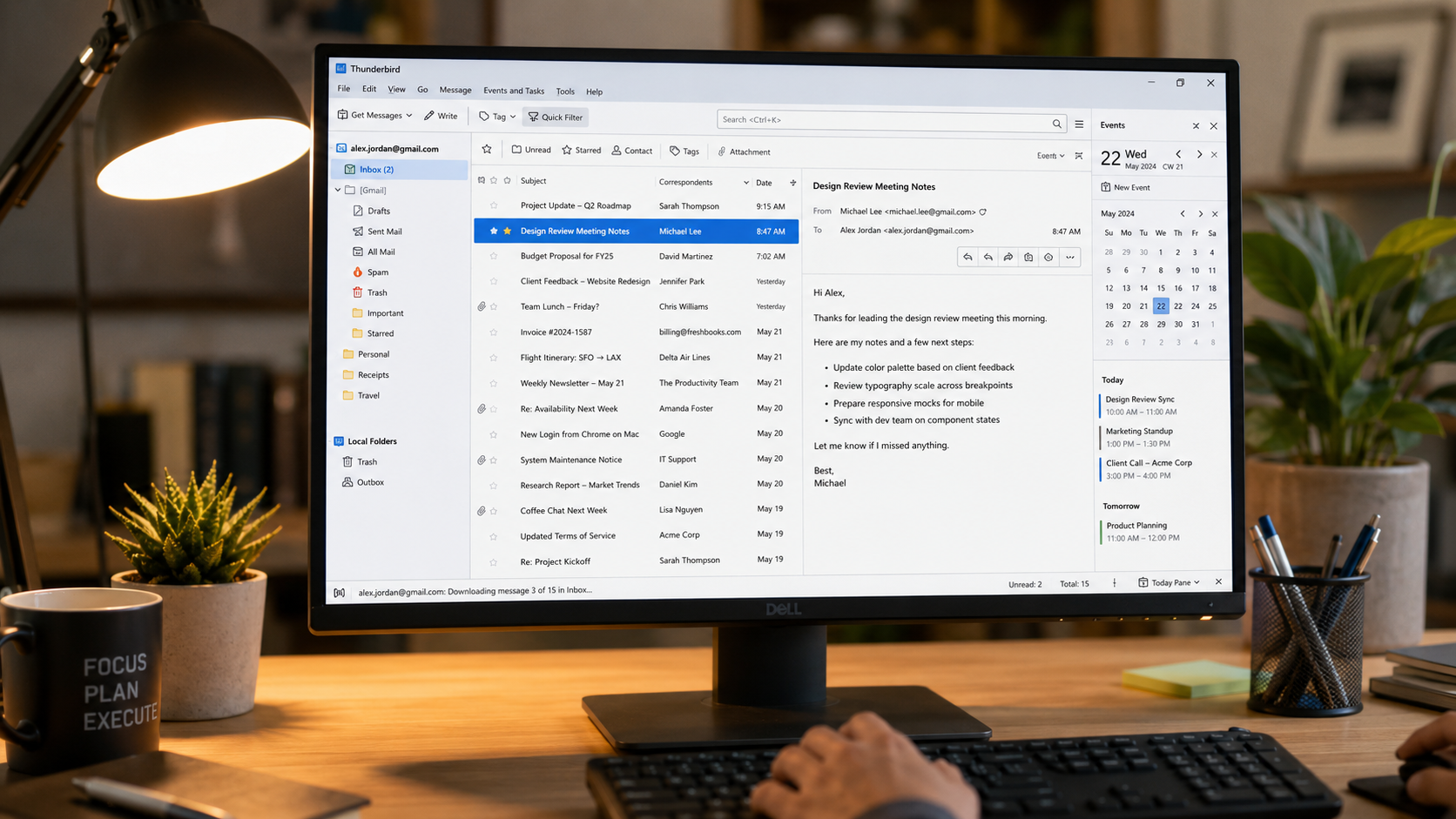
Setup Thunderbird với Gmail trong 5 phút
- 1 Cài Thunderbird 128 ESR (2 phút): thunderbird.net/download. Windows/Mac/Linux.
- 2 Add Gmail account (2 phút): Tools → Account Settings → Account Actions → Add Mail Account. Nhập tên, Gmail, password → 'Continue'. OAuth popup Google → allow. Thunderbird auto-detect IMAP config.
- 3 Bật Gmail folder mapping (1 phút): Gmail có system label (All Mail, Spam, Trash) khác folder thông thường. Account Settings → Server Settings → tick 'Show only subscribed folders'. Subscribe folder bạn muốn (Inbox, Sent, Important).
- 4 Thêm tài khoản Outlook (tương tự): Dùng IMAP (outlook.office365.com:993) + SMTP (smtp.office365.com:587). Corporate Exchange cần add-on OWL for Exchange ($10/year).
Add-on 'ImportExportTools NG' import .mbox, .eml, .pst (Outlook). Menu Tools → Import → chọn source. Email + folder giữ nguyên. Mất 10-30 phút tùy mailbox size.
5 add-on must-have cho Thunderbird 2026
- 1 Lightning (built-in từ v78) — Calendar + Tasks.
- 2 Provider for Google Calendar — sync Google Calendar.
- 3 ImportExportTools NG — backup + export email.
- 4 Filelink — share file lớn qua cloud link thay attach email.
- 5 ThreadVis — visualize email thread dạng tree diagram.
Thunderbird so với Outlook / Apple Mail / Spark
| Tiêu chí | Thunderbird | Outlook Desktop | Apple Mail | Spark |
|---|---|---|---|---|
| Giá | Free | $70/năm M365 | Free | Free / Premium |
| Platform | Win/Mac/Linux | Win/Mac | macOS/iOS only | Win/Mac/iOS |
| IMAP/POP3 | ✅ | ✅ | ✅ | ✅ |
| Exchange | ⚠️ Add-on | ✅ Native | ✅ | ✅ |
| PGP built-in | ✅ | ❌ Plugin | ⚠️ GPGTools | ❌ |
| Calendar | ✅ Lightning | ✅ | ✅ | ✅ |
| Ads | ❌ | ❌ | ❌ | ⚠️ Free tier |
| Open-source | ✅ | ❌ | ❌ | ❌ |
Tại sao doanh nghiệp Việt Nam nên dùng Thunderbird 2026:Với SME Việt Nam quy mô 5-20 người, chi phí Microsoft 365 Business Standard $12.50/user/tháng × 12 tháng × 20 user = $3.000/năm chỉ cho email + Office. Thunderbird thay 100% mảng email + calendar = tiết kiệm $1.200-1.800/năm (giả định team 15-20 người). Đây là khoản đủ trả lương 1 nhân viên junior 2 tháng tại VN.
Use case cụ thể tại Việt Nam: - Agency 8-12 người: 1 host email Zoho Free (5 user free, $1/user/tháng cho gói thêm) hoặc Gmail Workspace ($6/user/tháng). Toàn team dùng Thunderbird desktop để check IMAP. Unified Inbox xem 3-5 client account trong 1 cửa sổ. Hiệu suất xử lý 100-300 email/ngày cao hơn web Gmail. - Luật sư + kế toán solo: PGP encryption built-in (từ v78, 2020) cho giao tiếp khách hàng yêu cầu bảo mật. Generate keypair → share public key qua Zalo/email → gửi-nhận email mã hóa end-to-end. So với S/MIME có certificate auth ($50-200/năm) thì PGP free và linh hoạt hơn. - Freelancer + remote worker: Tài khoản email cá nhân (Gmail) + 2-3 client account (qua IMAP của họ) gom về 1 app. Không cần switch tab browser liên tục. Filter rule mạnh hơn Gmail web — vd tự động archive email từ noreply@, đánh dấu sao email VIP.
Tip setup với email server Việt Nam: VN có một số provider mail server doanh nghiệp như Bizmail (Mắt Bão), Zoho Vietnam, Google Workspace VN reseller. Đa số dùng chuẩn IMAP/SMTP nên Thunderbird kết nối trực tiếp. Cấu hình mẫu cho Bizmail: IMAP mail.tencongty.vn:993 SSL/TLS, SMTP mail.tencongty.vn:587 STARTTLS. Authentication: 'Normal password' với username là email đầy đủ (ví dụ [email protected]).
Nếu công ty bạn vẫn dùng Outlook Exchange Server on-premise (phổ biến với tập đoàn lớn VN), add-on OWL for Exchange $10/user/year cho phép Thunderbird kết nối Exchange ActiveSync gần đầy đủ — vẫn rẻ hơn Outlook desktop license.