
OBS Studio là phần mềm stream + record #1 thế giới 2026 — 50 triệu active user, dùng bởi streamer top Twitch/YouTube. Miễn phí, mã nguồn mở, cross-platform, hỗ trợ hardware encoding NVENC 4K 60fps. Bài cover setup stream YouTube/Twitch, scene/source, audio mixer, plugin Stream Deck, so sánh Streamlabs OBS.
OBS Studio 2026 — chuẩn vàng streaming + recording miễn phí
OBS Studio là phần mềm streaming + screen recording mã nguồn mở tốt nhất 2026 — 50 triệu active user, streamer top Twitch/YouTube đều dùng. Features: multi-scene layering (game + webcam + chat overlay), stream nhiều platform cùng lúc (YouTube + Twitch + Facebook + TikTok Live), record 4K 60fps với hardware encoding (NVIDIA NVENC, AMD AMF, Intel QuickSync), audio mixer 20 track, plugin Stream Deck / Stream FX / Move Transition. Cross-platform Windows/Mac/Linux. Miễn phí 100%, không watermark, maintain bởi OBS Project (non-profit + sponsorship NVIDIA/Logitech/Twitch). v31.0 (2024-2025) release YouTube multi-stream native, HDR recording, Whip protocol.
Alternative 2026: Streamlabs Desktop (fork OBS với widget + cloud, free + paid plans), XSplit Broadcaster ($15/tháng, Windows only), vMix ($60+ one-time). OBS giữ vị thế #1 vì free + open + community plugin rộng.
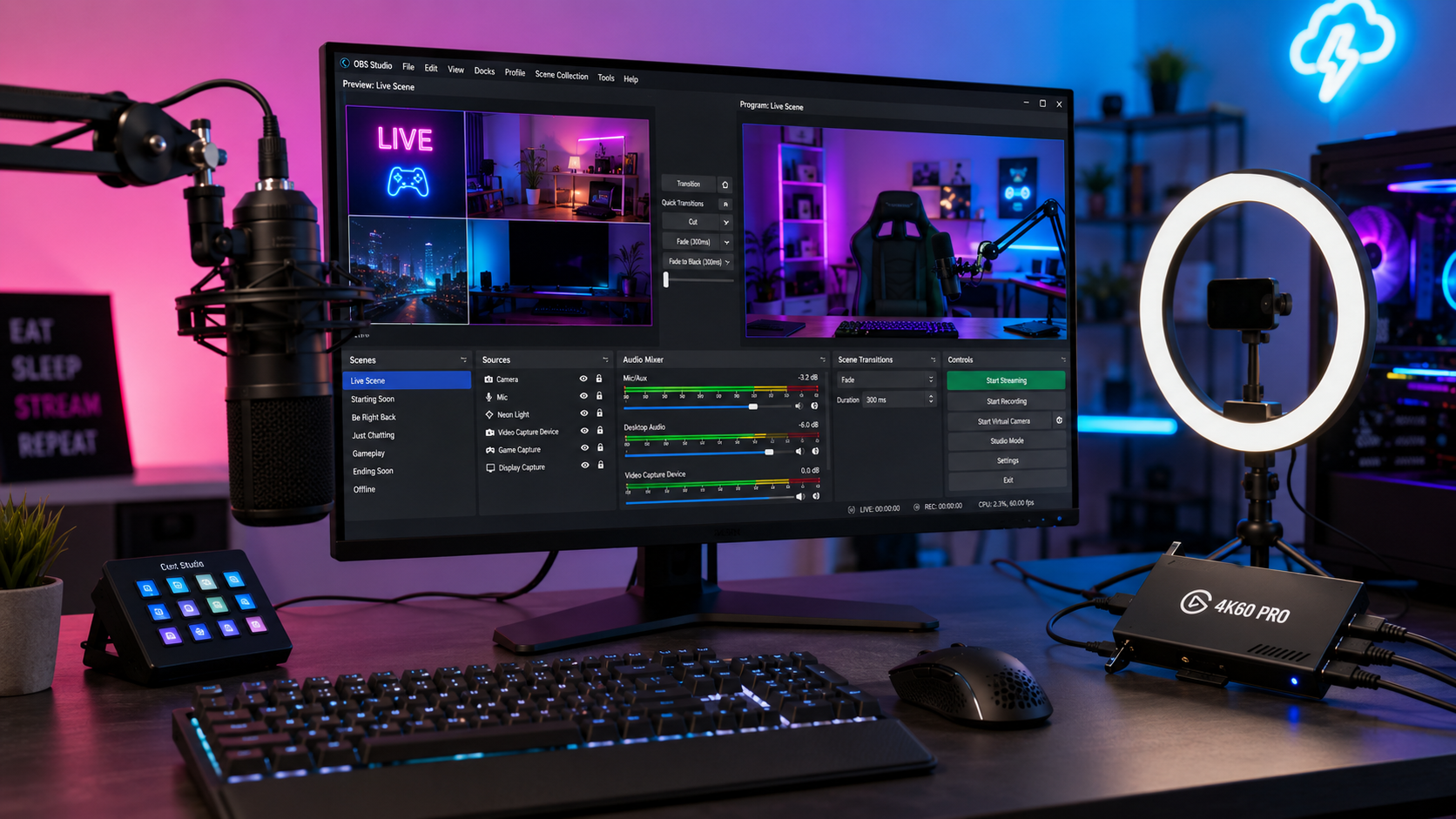
Setup OBS Studio cho stream YouTube/Twitch 15 phút
- 1 Tải OBS Studio (2 phút): obsproject.com/download. Installer 100MB Win/Mac, Linux apt/flatpak.
- 2 Auto-Configuration Wizard (3 phút): First launch → 'Auto-Configure' → 'Optimize for streaming' → nhập stream key (Twitch/YouTube). OBS test bandwidth + recommend settings.
- 3 Tạo Scene + Source (5 phút): Scene 1 'Starting Soon' → add source: Image (banner), Audio (BGM). Scene 2 'Gaming' → Game Capture + Webcam (Video Capture Device) + Audio Input Capture. Scene 3 'Ending'.
- 4 Stream key Twitch (2 phút): Twitch dashboard → Settings → Stream → Copy Primary Stream Key. OBS → Settings → Stream → Service: Twitch → paste key.
- 5 Stream key YouTube (2 phút): YouTube Studio → Go Live → Stream → Copy Stream Key. OBS Settings → Stream → Service: YouTube - RTMPS.
- 6 Test + start stream (1 phút): Click 'Start Streaming'. Monitor stats bottom bar (bitrate, dropped frames). Chat + viewer count trên platform dashboard.
GPU NVIDIA RTX 20+ → dùng NVENC (highest quality, ít CPU). GPU AMD RX 6000+ → AMF. Intel Arc / CPU gen 10+ → QuickSync. Không có GPU → x264 (chất lượng tốt nhất nhưng tốn CPU, có thể lag game).
OBS Studio vs Streamlabs Desktop vs XSplit
| Tiêu chí | OBS Studio | Streamlabs Desktop | XSplit Broadcaster |
|---|---|---|---|
| Giá | Free | Free / Premium $19/tháng | $15/tháng |
| Platform | Win/Mac/Linux | Win/Mac | Windows only |
| Stream multi-platform | ⚠️ Plugin | ✅ | ✅ |
| Widget + chat overlay | ⚠️ Plugin | ✅ Built-in | ⚠️ |
| Cloud backup | ❌ | ✅ | ✅ |
| Performance | ⭐⭐⭐⭐⭐ | ⭐⭐⭐⭐ | ⭐⭐⭐⭐ |
| Plugin ecosystem | ⭐⭐⭐⭐⭐ | ⭐⭐⭐ | ⭐⭐⭐ |
Recommend 2026: Streamer bắt đầu → Streamlabs Desktop free (widget + overlay dễ). Streamer pro + customize → OBS Studio (control tối đa, plugin rộng). XSplit cho user Windows thuần + budget.
5 plugin must-have cho OBS 2026
- 1 Stream Deck — control OBS qua physical button (Elgato Stream Deck $149 hoặc free mobile app).
- 2 Move Transition — animation smooth giữa source/scene thay cut cứng.
- 3 Source Record — record scene riêng thay toàn bộ canvas.
- 4 Advanced Scene Switcher — auto switch scene theo trigger (window focus, audio level, time).
- 5 NDI Output — stream sang máy khác qua LAN (studio setup multi-PC).