
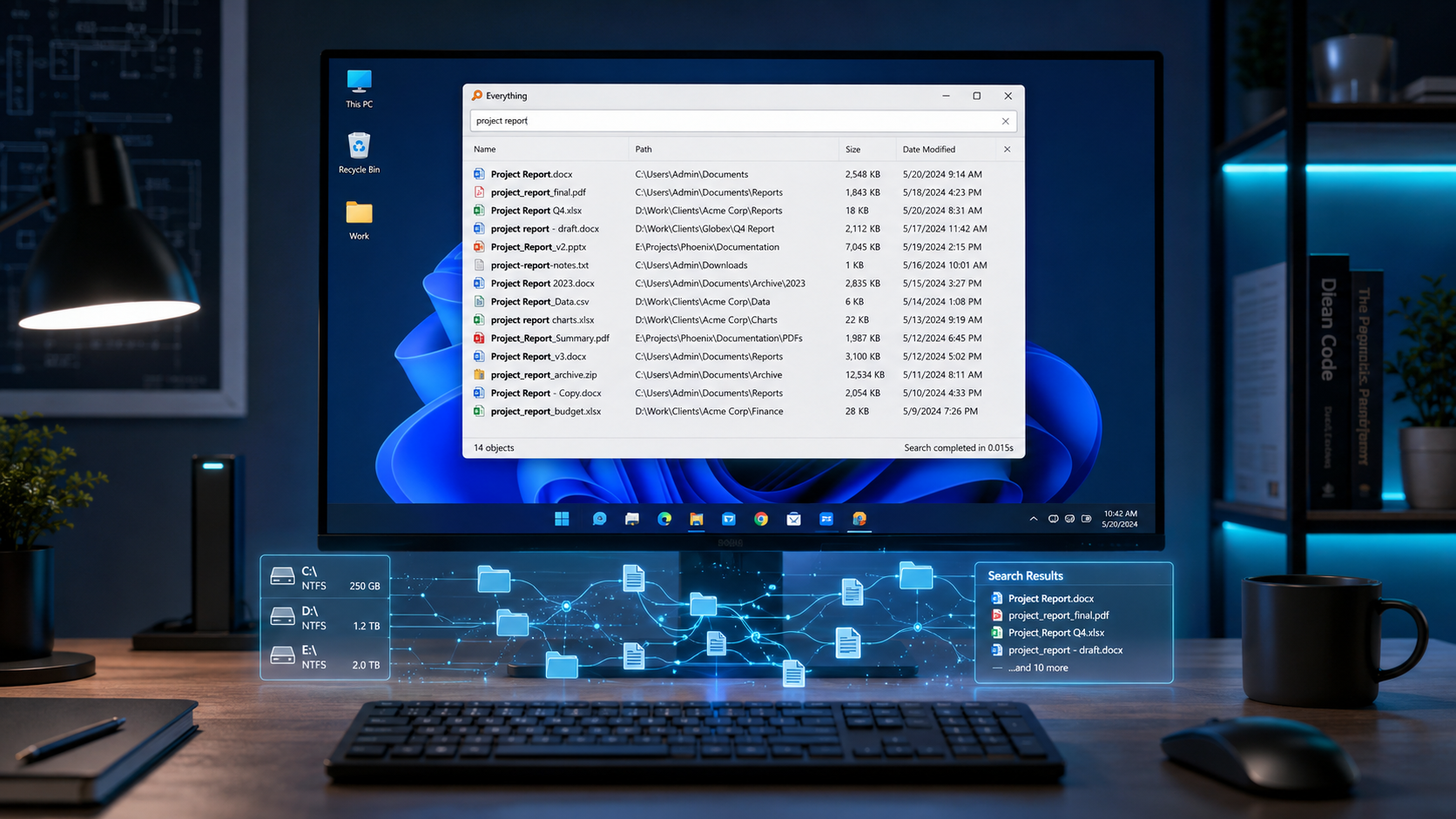
Everything là utility tìm file Windows nhanh nhất từng tồn tại — index toàn bộ ổ cứng trong 10 giây, search instant. Thay thế Windows Search (chậm) cho admin IT, dev, power user. ~15MB DB, ~5MB RAM. Bài cover setup, shortcut, regex search, integrate với tool khác (Double Commander, PowerToys Run).
Everything — utility tìm file #1 Windows
Everything là utility tìm file Windows nhanh nhất thế giới — Void Tools phát triển từ 2008, index NTFS MFT (Master File Table) direct thay scan file, trên ổ cứng 2TB + 500k file: index trong 10 giây, search instant khi gõ. ~15MB DB, ~5MB RAM. Thay thế Windows Search truyền thống (chậm, miss file, tốn CPU). Dùng bởi admin IT, dev, power user. Miễn phí vĩnh viễn, donation-supported, không ads. Portable mode chạy từ USB. Hỗ trợ regex, boolean search (AND, OR, NOT, NEAR), filter size/date/extension.
Limitation: Windows only (không Mac/Linux equivalent — dùng fd/fzf command-line). Chỉ index tên file, không content (cần plugin thứ 3 cho content search).
Everything vs Windows Search vs Listary vs PowerToys Run
| Tiêu chí | Everything | Windows Search | Listary | PowerToys Run |
|---|---|---|---|---|
| Giá | Free | Built-in | Free / $10 Pro | Free |
| Tốc độ index | ⭐⭐⭐⭐⭐ | ⭐⭐ Slow | ⭐⭐⭐⭐ | ⭐⭐⭐⭐ |
| Regex search | ✅ | ⚠️ Limited | ✅ | ⚠️ |
| Content search | ⚠️ Plugin | ✅ | ⚠️ Pro | ❌ |
| Portable | ✅ | ❌ | ❌ | ❌ |
| Launcher app | ❌ | ❌ | ✅ | ✅ |
| RAM | 5MB | Service 50MB+ | 30MB | 80MB |
Recommendation: Dùng cả Everything (search file deep) + PowerToys Run (launcher app) — complement không overlap. Listary $10 Pro tốt nhưng bị 2 tool này cover.
Setup + shortcut Everything pro 5 phút
- 1 Cài Everything (1 phút): voidtools.com/downloads. Chọn 'x64 Installer' (< 5MB). Hoặc Portable ZIP.
-
2
Hotkey global (1 phút): Tools → Options → Keyboard → 'Toggle Everything Window' → set
Ctrl+Alt+SpacehoặcWin+F. Từ bất kỳ đâu press hotkey → search popup. - 3 Enable content search (2 phút): Tools → Options → Search → Enable 'Content search indexing'. Chọn folder cần index content (VD: Documents + Projects). Full-text search trong file txt/md/docx.
- 4 Filter phổ biến (1 phút):
File manager pro thường có 'Everything search' integration. Trong Double Commander: Commands → Everything Search → Ctrl+Alt+Shift+F search → result mở trong file manager. Workflow pro cho admin IT.
Use case Everything cho admin IT + dev VN
- 1 Tìm file config server migration: Nhập 'nginx.conf' → instant thấy tất cả file nginx.conf trên ổ cứng. 1 giây thay 10 phút Windows Search.
-
2
Cleanup disk:
size:>1gb dm:<2023→ file > 1GB không sửa sau 2022. Clean disk space. - 3 Tìm duplicate file: Cột 'Size' sort → file same size = candidate duplicate.
-
4
Search toàn project: Index folder
C:\Projects→ tìm 'api.ts' → thấy mọi api.ts trong mọi project. Thay grep đi qua folder tree. -
5
Remote search LAN: Enable HTTP server → máy khác truy cập
http://<IP>:port→ search shared disk từ xa.
Câu hỏi thường gặp
Everything có thực sự nhanh hơn Windows Search không?
▾
Everything có Mac/Linux version không?
▾
fd + fzf command-line, hoặc locate (cần updatedb). Cross-platform GUI: Recoll (slow-but-thorough).