
KeePass là password manager offline cho user không tin cloud — vault .kdbx lưu 100% local, mã nguồn mở từ 2003, audit bởi EU Commission. Alternative Bitwarden cho gov VN, enterprise compliance. Bài cover setup, sync Dropbox/Git, plugin bắt buộc, so sánh với Bitwarden/KeePassXC.
KeePass 2026 — password manager offline cho privacy maximalist
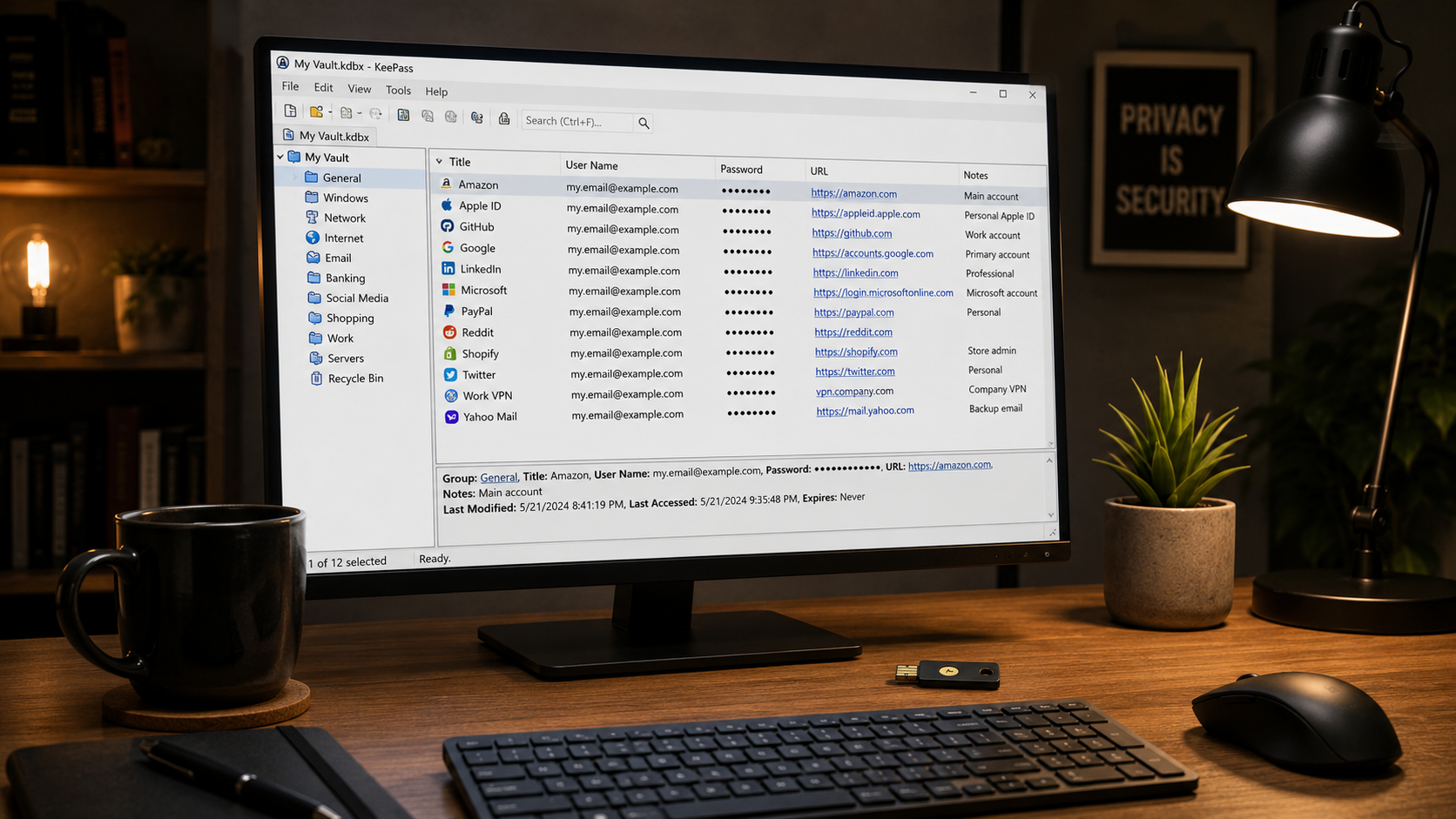
KeePass là password manager offline hàng đầu — vault .kdbx lưu 100% local, không server công ty nào giữ dữ liệu. Mã nguồn mở GPL từ 2003 (22+ năm), audit bởi EU Commission 2016, ANSSI (Pháp) certified. Cross-platform: Windows native, Mac qua MacPass hoặc KeePassXC, Linux, Android (Keepass2Android), iOS (Strongbox). Sync tự làm qua Dropbox/Google Drive/Git — free. Hoàn toàn miễn phí mãi mãi. Target: user cao compliance (gov VN, banking, healthcare), privacy maximalist, team dev tự host setup.
So với Bitwarden: KeePass không có cloud sync native (phải setup qua Dropbox/Git). Không có browser extension official (cần plugin KeePassRPC + browser extension bên thứ 3). Trade-off cho tối đa control + zero dependency cloud.
So sánh KeePass vs KeePassXC vs Bitwarden
| Tiêu chí | KeePass | KeePassXC | Bitwarden |
|---|---|---|---|
| Giá | Free | Free | Free / $10/năm |
| Platform | Windows native | Win/Mac/Linux native | Cross-platform |
| Cloud sync built-in | ❌ Plugin | ❌ Plugin | ✅ Native |
| Browser extension | Plugin KeePassRPC | Native extension | Native |
| Mobile app | Third-party | Third-party | Native |
| UI hiện đại | ⚠️ Cổ điển | ⭐⭐⭐⭐ Modern | ⭐⭐⭐⭐ Modern |
| Plugin ecosystem | 600+ | 100+ | N/A |
| Audit formal | EU Commission 2016 | Chưa | Cure53 annually |
Khuyến nghị: - KeePass original: user Windows muốn plugin ecosystem rộng nhất, không care UI cổ điển. - KeePassXC: cross-platform (Mac + Linux native), UI modern hơn, browser extension official. - Bitwarden: cloud sync built-in tiện hơn, 90% user prefer setup dễ hơn.
Xem thêm Bitwarden cho alternative cloud-first, và bài Bảo mật tài khoản 2026 cho comparison đầy đủ.
Setup KeePass + sync qua Dropbox miễn phí
- 1 Tải KeePass 2.57 (2 phút): keepass.info/download.html. Chọn 'Professional Edition 2.57' cho Windows. Mac dùng KeePassXC hoặc MacPass.
-
2
Tạo vault mới (3 phút): File → New → tạo file
passwords.kdbx. Master password cực mạnh 20+ ký tự (passphrase dễ nhớ: 'Correct-Horse-Battery-Staple-2026'). Optional: tạo keyfile bổ sung (2FA cho master password). - 3 Import từ LastPass/Bitwarden/Chrome (5 phút): File → Import → chọn format CSV → upload file export. KeePass parse giữ folder.
-
4
Sync qua Dropbox/Google Drive (5 phút): Move file
passwords.kdbxvào Dropbox folder. Cài Dropbox/Drive client trên máy thứ 2 → mở cùng file. Edit sync tự động. Không conflict nếu chỉ edit 1 máy lúc. -
5
Hoặc sync qua Git (10 phút): Git init
~/.keepass-vault/, add + commit file .kdbx encrypted. Push private GitHub. Maschine khácgit clone+ edit + push. Version history tự động. - 6 Mobile sync (5 phút): Install Keepass2Android (free, Play Store) hoặc Strongbox (iOS). Kết nối Dropbox/Drive/WebDAV → mở cùng file .kdbx.
Mất master password = mất toàn bộ vault vĩnh viễn (không recovery). In master password + keyfile ra giấy, cất trong két sắt. Backup file .kdbx vào 2-3 location (Dropbox + external HDD + USB).
Khi nào chọn KeePass thay Bitwarden
Chọn KeePass nếu: - Compliance yêu cầu không gửi credential ra cloud (banking, healthcare VN, gov). - Không tin infrastructure third-party, muốn zero dependency. - Team dev tự setup self-hosted sync (Git, Syncthing, WebDAV internal). - Plugin ecosystem rộng cho customization (600+ plugin). - Vault > 10k entry — KeePass performance tốt hơn Bitwarden với vault rất lớn.
Chọn Bitwarden nếu: - User cá nhân muốn setup dễ < 5 phút. - Dùng mobile + browser extension smooth. - Cần share credential với team member dễ dàng. - Không kinh nghiệm DevOps setup sync.